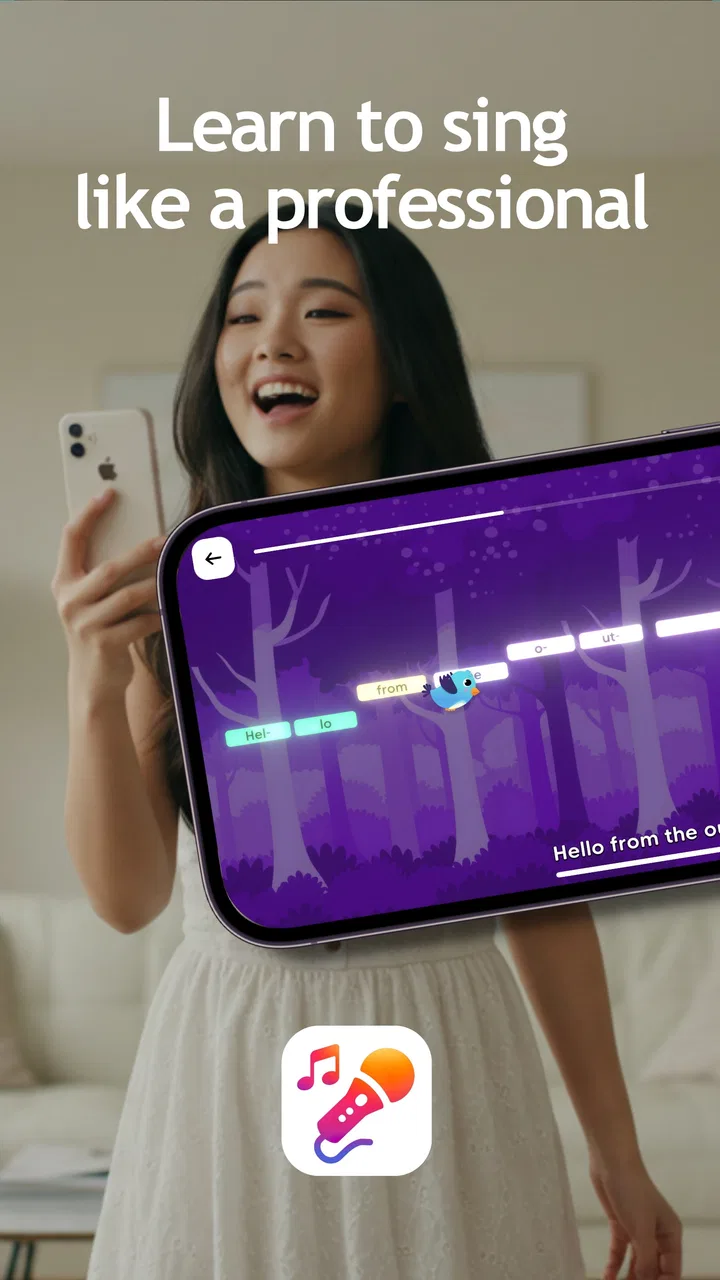
Vocalist: Learn to Sing
- 4.4
- Rating
- 10.00K
- Installs
- Free
- Price

 Analysis by App-foxy
I approached Vocalist: Learn to Sing as someone looking for a practical way to work on singing without turning every practice session into a formal lesson. It belongs to the Music & Audio category, comes from Lamarde Limited, and is free to install, with optional purchases priced at $6.99 per item. That makes it easy to try casually, but the real question is whether it feels useful once the first few minutes of curiosity are over.
My overall impression is that Vocalist is best understood as a focused singing companion rather than a replacement for a vocal teacher, a full recording studio, or a large karaoke library. Its appeal is the possibility of making practice feel more approachable on a phone. I can see it fitting into a short routine before work, a private warm-up at home, or a confidence-building exercise for someone who does not yet feel ready to sing in front of other people.
The app has an Everyone content rating and supports devices running Android 8.0 or later. It has reached over ten thousand installs and holds a 4.4 average from around three hundred ratings, with just over two dozen written reviews. Those figures suggest a small but clearly interested audience rather than a mass-market audio platform. I would treat that as a reason to explore it with realistic expectations: it may suit a learner who wants a simple starting point, while experienced singers may quickly want more control than a mobile practice tool can offer.
You May Also Like

 AccuWeather: Weather Radar
AccuWeather Review: A Quick, Clear Forecast for Everyday Decisions
For everyday plans, the best forecast is the one you can understand quickly. AccuWeather makes rain timing, radar, and local conditions easy to act on, with a few trade-offs.

 Hill Climb Racing
Why Hill Climb Racing Still Turns Crashes Into One More Run
A tiny car, a bumpy hill and one more upgrade: Hill Climb Racing keeps resurfacing because its simple chaos makes every near-miss feel personal.

 AliExpress - Shopping App
AliExpress Makes Global Shopping Feel Personal, but Shoppers Bear the Risk
AliExpress turns a global marketplace into a pocket-sized discovery engine. Its reach is useful, its shopping loop compelling, and its trade-offs easy to miss.

 Lords Mobile: Kingdom Wars
Lords Mobile Is a Kingdom-Building Routine, Not a Quick Match
A case-by-case verdict on the building, battles, device demands, and social commitments that make Lords Mobile rewarding for some players and exhausting for others.

 PDF Scanner app - TapScanner
TapScanner Makes Paperwork Easier to Capture, Check, and Share
TapScanner makes scanning with a phone feel less like a rescue operation and more like a dependable step in getting work done. Its capture tools are useful, though not flawless.

 Block Blast!
 Shows How Much a Puzzle Game Can Leave Out
A quiet grid game shows why puzzle players increasingly value instant clarity, repeatable skill and low-pressure play—and where the genre still needs to catch up.
More From Our News Desk
View All News


Where the first practice session can get stuck
The biggest source of friction with a singing app is rarely the idea of singing itself. It is usually the transition between opening the app and producing a useful sound. A user may wonder whether to begin quietly, whether the phone is hearing them, or whether an exercise is meant to be repeated several times. If that first interaction feels unclear, even a promising app can be abandoned before it becomes part of a routine.
That is why I would not judge Vocalist only by how quickly it opens. I would judge it by how confidently it gets me from a silent screen to a deliberate vocal exercise. A good first session should make the next action obvious, keep the amount of setup manageable, and help me understand what I am trying to improve. If I have to guess whether a result reflects my voice or my surroundings, the learning value drops immediately.
There is also a psychological hurdle. Many beginners dislike hearing their own voice and may sing too softly when a phone is involved. That can create a misleading experience: the app may appear unresponsive when the real problem is that the user is holding back. I found it more sensible to treat the first attempt as calibration for my own habits. I would sing at a comfortable volume, keep the phone in a stable position, and repeat the same short exercise rather than changing everything after one uncertain result.
The most useful mindset is to treat the first session as setup plus practice, not as a test you must pass. That matters especially for people who expect instant improvement. Singing involves breathing, pitch control, timing, and confidence, so one session cannot reliably measure all of those at once. Vocalist can encourage repetition, but the user still has to bring patience and attention to the process.
Why the room matters more than people expect
Phone microphones are sensitive to their surroundings. A hard, echoing room can make the voice sound more distant or blurred, while a busy room can make it difficult to focus on the result. I would start in a quiet space with soft furnishings, avoid placing the phone directly against a wall, and keep a consistent distance from it. This is not a special trick for Vocalist; it is a practical way to make any voice-based practice more understandable.
Headphones can be helpful when the app provides sound that I need to follow, but they can also make me sing too loudly if I cannot hear my own voice naturally. I would begin without them, then try a comfortable pair only if outside noise is a problem. The important point is to avoid changing the acoustic conditions between every attempt. Consistency makes progress easier to notice.
What I would check before blaming the app
Before starting, I would close other audio-heavy apps, make sure the phone is not connected to an unwanted Bluetooth speaker, and check that the device is not in a mode that blocks or interrupts sound. I would also keep the phone charged enough for a complete session and avoid covering the microphone with a hand or case edge. These checks sound ordinary, but they prevent a surprisingly common mistake: interpreting a device problem as a singing result.
If the app behaves strangely, my first safe step would be to stop the session and reopen it rather than repeatedly tapping controls. I would then test the phone’s microphone in another familiar audio app. If the microphone works there, I would return to Vocalist and repeat the exercise in the same quiet position. If it fails elsewhere too, the issue is probably with the device, its settings, or the environment rather than with the singing practice itself.
I would also keep the application current. The current version is 2.2.17, and using that version can remove avoidable compatibility problems without requiring complicated troubleshooting. On an older phone, background processes and limited storage can also affect responsiveness, so closing unused apps and freeing a little space is a sensible preparation step. I would not change several system settings at once, because that makes it harder to learn which adjustment helped.
Building a workflow that survives an awkward session
Vocal practice becomes more useful when it has a repeatable shape. My preferred workflow would be short and deliberate: settle the room, open the app, perform one exercise without trying to sound impressive, notice what felt difficult, and repeat only after making one small adjustment. That approach keeps the session from becoming a cycle of random attempts.
A practical everyday scenario would be a ten-minute session before leaving home. I would use the first minute to prepare the phone and find a comfortable posture, spend several minutes working through the selected singing activity, and finish by repeating the part that felt least stable. The goal would not be to chase a perfect result. It would be to make the second attempt more controlled than the first.
Another useful scenario is private preparation before karaoke or a social gathering. Vocalist may help me become less hesitant, but I would use it to rehearse confidence and consistency rather than expecting it to reproduce the exact sound of a venue. Karaoke systems, room speakers, and background tracks introduce different conditions. A calm phone session can prepare the voice and mindset, but it cannot fully simulate a crowded room.
Recovering when progress feels inconsistent
Voice practice is not perfectly linear. Sleep, hydration, stress, allergies, and the time of day can all affect how singing feels. If a result seems worse than the previous session, I would avoid immediately concluding that the app has changed or that I have lost progress. I would repeat the same exercise once, then stop if my throat feels strained. A short pause is more sensible than forcing a longer session.
I would also separate technical recovery from vocal recovery. If the app does not appear to respond, I would check the microphone and room first. If the app responds but my voice feels tired, I would rest instead of adjusting settings. This distinction is one of the most useful habits for any voice-training application because it prevents users from trying to solve physical fatigue with repeated taps and louder singing.
Keeping a simple personal note can help. I might record the date, how my voice felt, and which exercise seemed difficult, without turning the process into a detailed spreadsheet. After several sessions, that makes it easier to identify patterns. For example, I may discover that I practice too soon after talking for a long time, or that I concentrate better in the morning. The app can support the activity, but the user’s own observations often explain progress more clearly than a single on-screen result.
How to use the free starting point sensibly
Because Vocalist is free, I would begin by testing whether its basic approach fits my habits before considering any optional purchase. The in-app items cost $6.99 each, so I would resist buying one merely because I felt impatient during an unclear first session. I would first establish that the app recognizes my voice reliably, that I enjoy the practice style, and that I am likely to use it more than once.
This is especially important for beginners. A paid addition cannot replace a quiet room, a consistent routine, or realistic expectations. If the free experience already helps me practice regularly, an optional item may be easier to evaluate on its own merits. If I am not opening the app, paying for extra content will not solve the underlying motivation problem.
When the app is not the cause of a disappointing result
Some frustrations belong to singing rather than software. If I am consistently off pitch, the answer may be slower practice and more careful listening, not a different button. If my voice sounds breathy or weak, posture and breath control may matter more than the phone’s feedback. If I feel nervous, repeating a phrase privately can help, but confidence usually grows through gradual exposure rather than through one perfect exercise.
There are also limits to what a phone can judge. A mobile microphone can capture sound, but it does not replace a trained person listening to vocal tension, breathing habits, pronunciation, or discomfort. I would stop if singing causes pain, and I would seek qualified guidance for persistent vocal problems. Vocalist is a practice aid, not medical advice and not a substitute for professional instruction.
This is where the app differs from the usual alternatives. A private tutor can respond to my exact voice and correct technique in real time, but lessons require scheduling and usually cost more. Karaoke platforms are better when my priority is a large song-focused experience and social entertainment. Recording apps offer deeper control over takes and editing, but they can feel intimidating for a beginner who simply wants to practice. Vocalist sits between those choices: more directed than recording myself, less personal than a teacher, and potentially more focused on learning than ordinary karaoke.
Who will get the most from Vocalist?
I think the strongest audience is the hesitant beginner who wants a low-pressure way to start. It may also suit a casual singer who already knows the basics but wants a convenient warm-up on a phone. The Everyone rating makes it approachable for a broad audience, although younger users should still have an adult help them build sensible practice habits if they are unsure how to use voice-based tools comfortably.
I would be more cautious if I wanted advanced vocal analysis, detailed recording controls, accompaniment choices, or a structured course with personal correction. Those needs point toward a teacher, a more specialized training product, or a full audio workstation. I would also skip Vocalist if my main goal is simply to sing along to a huge catalogue of tracks. Its value is in practicing the vocalist’s role, not in replacing every other music app.
My practical verdict after weighing the friction
Vocalist: Learn to Sing is an appealing free option for someone who wants to make singing practice less intimidating. I like the idea of using it in small, repeatable sessions rather than treating it as a one-time novelty. Lamarde Limited has positioned it in a useful space for casual learners: lighter than formal lessons, more purposeful than recording random clips, and easier to try than a paid commitment.
Still, I would recommend it with boundaries. The experience depends heavily on a sensible room, a working microphone, and the user’s willingness to repeat exercises patiently. An inconsistent result does not automatically mean the app is inaccurate, and a smooth result does not prove that every part of vocal technique is correct. The best outcome comes from combining the app with careful listening, relaxed breathing, and occasional outside feedback.
With a 4.4 average and more than ten thousand installs, it has enough early interest to justify a look, while its small overall footprint means I would not assume it can match the depth of established music platforms. Its latest listed version, 2.2.17, supports Android 8.0 and newer, so compatibility is reasonable for many users. I would install it free, test it in a quiet room, and give it several short sessions before deciding whether the optional $6.99 items are worthwhile.
My recommendation is therefore straightforward: try Vocalist if you want a friendly starting point for private singing practice and are comfortable learning through repetition. Skip it in favor of a teacher or a more advanced audio tool if you need detailed diagnosis, professional recording, or a large karaoke ecosystem. Used for what it does best, it can turn an awkward first attempt into a manageable routine—and that is a meaningful benefit for anyone who has wanted to sing but never known how to begin.
FAQs for Vocalist: Learn to Sing
01What is Vocalist: Learn to Sing, and who is it designed for?
Vocalist: Learn to Sing is a mobile singing practice app designed to help users improve pitch, vocal control, rhythm, and general confidence. It can be useful for complete beginners, casual singers, and more experienced vocalists who want structured exercises they can complete at home. The lessons are generally approachable, although consistent practice and patience are still necessary to achieve noticeable progress.
02Does Vocalist: Learn to Sing actually help improve singing ability?
The app can be a useful practice companion, particularly for developing pitch awareness and building a regular vocal-training routine. Its exercises provide guidance and feedback that may help you recognize when notes are too high or too low. However, it should not be considered a complete replacement for a qualified vocal teacher, especially if you need personalized technique advice or help correcting persistent vocal problems.
03Do I need any special equipment to use Vocalist: Learn to Sing?
Most users should be able to begin with only a compatible Android or iOS device and its built-in microphone. It is important to practice in a reasonably quiet environment because background noise, music, or poor microphone placement can affect pitch detection and feedback. Headphones may be helpful for listening to exercises, but they are not usually essential for completing the basic training sessions.
04Is Vocalist: Learn to Sing free to download and use?
The app may be available to download at no initial cost, but some lessons, training programs, advanced tools, or other content can require in-app purchases or a subscription. Before starting a trial, carefully review the payment terms, renewal settings, and cancellation instructions shown in the app store. Availability and pricing may also differ depending on your country, device, and current version of the application.
05Is Vocalist: Learn to Sing suitable for children and daily practice?
The simple training format can make Vocalist: Learn to Sing accessible to younger users, but parents should review the app’s content, privacy information, and purchase settings before allowing independent use. For the best results, short and regular sessions are preferable to long, tiring practices. Users should stop if they experience throat pain, strain, or discomfort, since the app cannot monitor vocal health as closely as an in-person teacher.
Pros
- Clear vocal exercises suitable for beginners
- Helps build a consistent daily singing routine
- Useful warm-ups for improving vocal control
- Simple interface makes lessons easy to follow
- Can support practice without needing a private teacher
Cons
- Some lessons may feel repetitive over time
- Advanced singers may find the training too basic
- Vocal feedback may not replace professional coaching
- Progress can depend heavily on regular practice
- Certain features may require a paid subscription

Vocalist: Learn to Sing
Gallery